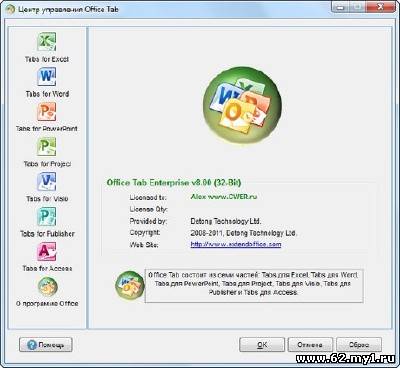
Утилита OfficeTab - позволяет выборочно включить вкладки в трех самых популярных программах MS Office и настроить поведение этих вкладок. Уже на стадии установки утилита OfficeTab запрашивает у пользователя, в каких приложениях следует включить вкладки (по умолчанию – во всех трех). Включенные вкладки отображаются в панели инструментов стандартного размера – высотой со строку меню. Кроме переключения, закрытия всех документов и закрытия всех документов кроме текущего, механизм вкладок OfficeTab позволяет открыть два окна с разными документами на одном экране – очень полезно для сравнения вариантов. Особенности: • Abundant positions and flexibility to show the Tab: Above Workspace, Below Workspace, Left Workspace or Right Workspace. • Office Tab allows you to customize the tab color. • Available to rename the saved Tab in the right click Tab pop-up menu. • Supply an independent Office Tab Center for configuring all the setting in Office Tab 4.00. • More than 11 Tab styles can be chose. • Office Tab can be hidden while there is one Tab. • You can drag the Tab from one Tab position to another Tab position in Microsoft Word and Microsoft Excel (except in Microsoft PowerPoint). • Right clicks the Tabs, there will pop-up a menu, which includes Close function, Rename function and so on. • Office Tab can be easily enabled or disabled. • Customize Tabs layout. Office Tab arranges 3 layouts for choosing: AutoSize, SizeToFit and Fixed. • Customize the max width of Tabs (for AutoSize and SizeToFit layout), and fixed width of Tabs (for fixed layout). • You can lock the Tab in Microsoft Word and Microsoft Excel, but not in the Microsoft PowerPoint. The locked document Tabs or workbook Tabs cannot be saved or closed. • When the documents or workbooks have been modified, Office Tab will mark these modified documents or workbooks with an asterisk (*) in their names to indicate the modified documents or workbooks (except in Microsoft PowerPoint). • Close Tabs by clicking Middle Mouse Button or Double click Left Mouse Button on the Tab; to build new Tab just need to double click Left Mouse Button on the blank area of Tab bar. • Office Tab provides plenty of shortcuts helping you work with efficiency. Press "Win+Q" to hide/display the Tabs bar, press "Ctrl+Tab" to quickly switch between Tabs or press "Alt+N" to quickly select the specific Tabs. ('N' stands for the Order Numbers of the Tabs from left to right on the Tab bar, the ‘N’ just can be the number 1 to 9 and include both 1 and 9)For example, there are five Tabs on the Tabs bar. You can just press "Alt+5" to select the fifth Tab from the left on the Tab bar. Office Tab supports customization of the hide/display Tabs bar shortcut and switch Tabs shortcut. • Word Documents Tabs supports to open current document in new windows, and Excel Workbooks Tabs supports to open current workbook in new Windows.
[][/]
Размер: 11,1 Мб Информация на восстановление: +1% Язык Интерфейса: Multilanguage(Русский) Лекарство: в архиве Платформа: Windows 2000/2003/XP/Vista/ 7


 [/]
[/]